Skip to content

Operating system for event venues

More experiences. Less busywork. With LeisurOS.

Online booking, daily planning and on-site checkout — in one system.

Or try it free for 14 days
Born in the daily operation of an event venue
LeisurOSA look inside LeisurOS
Simplified illustration with sample values.

Book: An available time. Six guests. Plan: The group is in the day calendar. Check out: Add the booking amount and take cash. Receipt: The sale is complete.

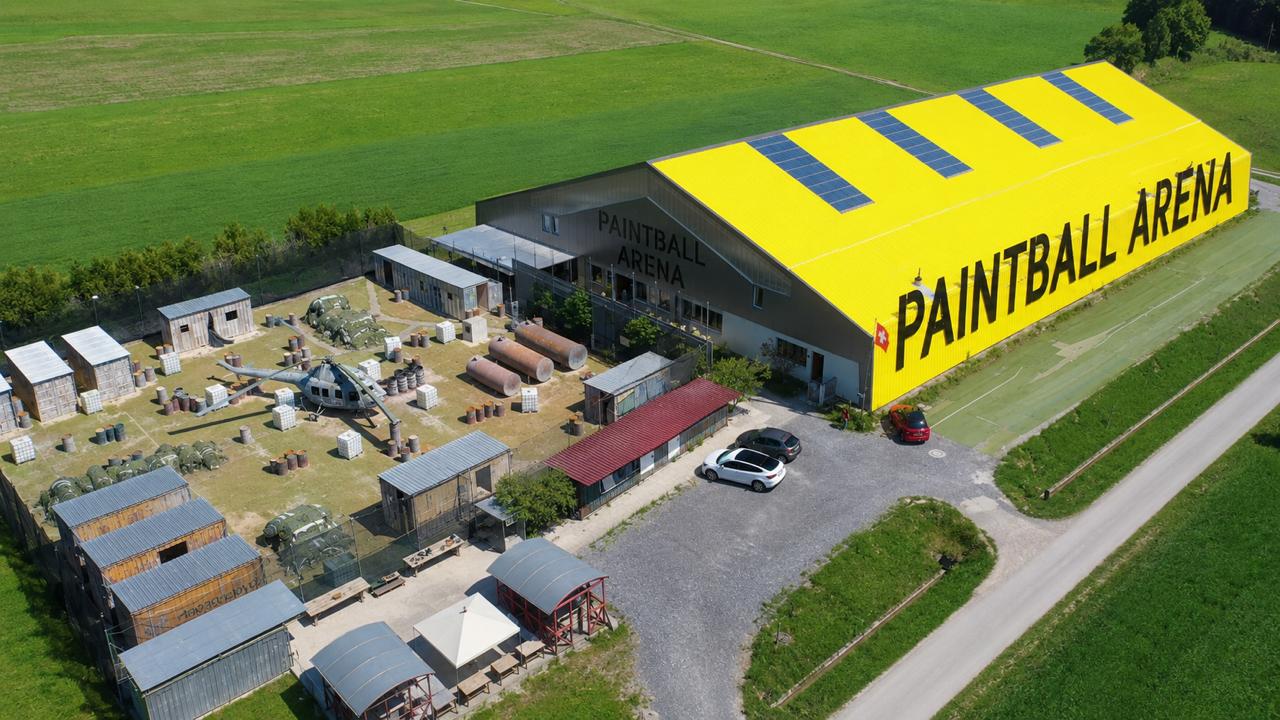
Paintball Arena with its yellow hall and outdoor playing field

Paintball Arena

Track enquiries. Manage groups together. Take payments and generate invoices automatically.

See how the team works

From booking to receipt.

Four steps, shown in the real system.

Booking

Guests book for themselves.

Choose an experience and an available time, add extras and book. Availability and prices are checked directly.

Booking
Simplified illustration with sample values. Try the real booking page in the demo →Animation: 1. Pick an experience: Photo, duration and price — just as you set up your offer. 2. Build the booking: Choose duration, people and add-ons. 3. Free start time: Only what is really free. The price is fixed before booking. 4. Book: Confirmation by email — and the booking is in the day plan.
Open actual system view
Booking — Real interfaces · Sample data
Real interfaces · Sample data

Management

Your team plans the day.

See bookings, groups and capacity in the day calendar. Every change stays with the same booking.

Management
Simplified illustration with sample values. Try the real admin area in the demo →On the phone. Choose an activity, people and an available time. Create the booking. Enter contact details and book. Payment is on site. Move the booking. Check and confirm a new time. Price and reference stay the same. On the visit day. Mark the guests as arrived, open checkout and add the booking amount.
Open actual system view
Management — Real interfaces · Sample data
Real interfaces · Sample data

POS

Check out on site.

Bring the open booking amount into the cart with one tap — extras included, deposit deducted. Guests check their items on the customer display.

POS
Simplified illustration with sample values. Try the real POS in the demo →Animation: 1. Tap items: Every line appears for the guest straight away. 2. Guest checks: Review the lines, tick the box, confirm as binding. 3. Tip: The guest chooses it. 4. Take payment: Numbered receipt, QR code for the guest.
Open actual system view
POS — Real interfaces · Sample data
Real interfaces · Sample data

Finance

Keep the accounts clear.

Track invoices, payments and outstanding amounts. Everything stays connected from receipt to accounting export.

Finance
Simplified illustration with sample values. See the real invoices in the demo →Animation: 1. From the booking: Line items come along, the recipient from your customer records. 2. Issue: Only now are number, PDF and QR payment slip created. 3. By email: The invoice goes to the customer as a PDF. 4. Paid: Import the bank statement, check the suggestions, post.
Open actual system view
Finance — Real interfaces · Sample data
Real interfaces · Sample data

Your venue. Their experiences.

From the first escape-room group to a busy bowling evening: LeisurOS adapts to your offers, schedules and resources.

Explore your industry

Core and modules

One system, shaped around your venue.

Booking and management are included in the core. Add POS, finance and communication as needed.

POS: ready to use in Switzerland. Coming soon in Germany, not yet available in Austria.

Next step

Is LeisurOS right for your venue?

Let’s find the workflows and modules your venue needs.
Try it free for 14 days Talk to NeoVerse